Timely
Role
Developer
Timeline
2 months
Scope
E2E development
Contributors
Myself
My goal with this project was simple: see if I can build an app from scratch and launch it to the iOS App Store.
Turns out the answer is also simple: yes.
This is not a design project
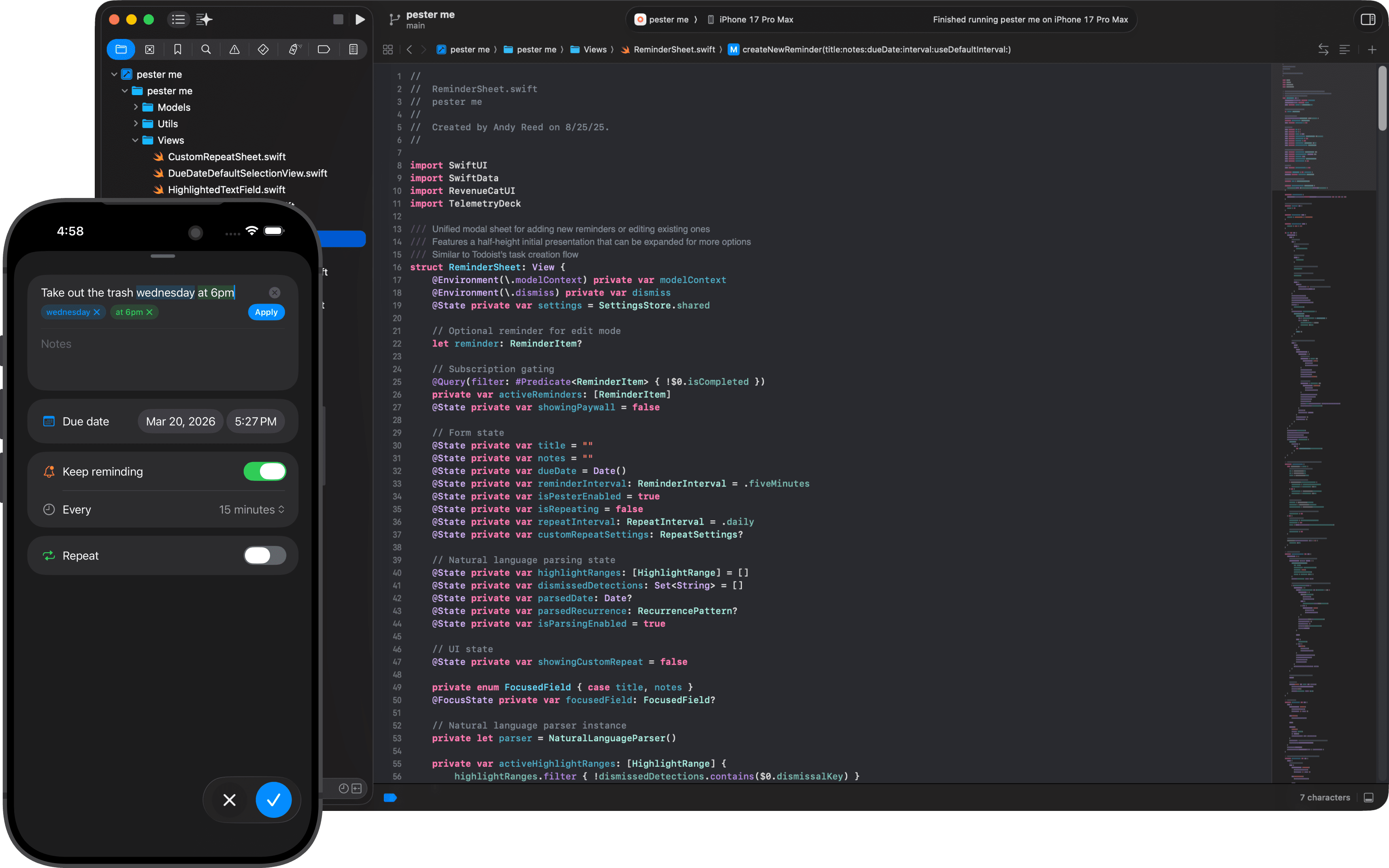
If the first goal was to launch an app, the second goal was to not let anything get in the way of launching an app. That meant not getting bogged down in design details — not an easy task for me. Timely uses stock SwiftUI components and standard Apple patterns wherever possible. No custom design system, not even a single Figma file was created. No. Design. Rabbit holes.
Why this app
I have the brain of a goldfish when it comes to remembering things. To compensate, I maintain an outboard brain — lots of notes, lists, and reminders that offload things I'd otherwise forget. There are a lot of reminders apps out there, but most only send one notification, which is too easy for me to ignore or forget about. I need something that keeps coming back until I've actually done the thing.
I was using an app called Due for this. Honestly it's great, and quite popular. It handles the persistence part well, but the UI always bugged me — very opinionated and over-optimized for compactness. I wanted something that felt more like a native iOS app.
So when deciding what app to make, a Due replacement seemed like the perfect answer. A simple app that keeps reminding you until you mark a task complete. That's it, the whole product.
Why now
As designers go, I've always been dev-curious. I tend to approach my design work with an engineering mindset — what data exists on the back end, how can we display it on the front end, how long will it take to get there, and in what ways can users manipulate it? For better or worse, it's the space by brain lives in.
I've dabbled in code a few times over the years. I have a decent handle on HTML and CSS, and multiple attempts at learning JavaScript have left me with a tenuous grasp on the language but a reasonable understanding of how code works in general. I'm at least able to scan a file and not feel totally lost. Sitting in dev meetings for years has also given me some intuition around architecture, infrastructure, and workflows.
Obviously, none of that was ever quite enough to build something real myself. The gap between "I understand what's happening" and "I can make this from scratch" was always too wide.
In 2025, that gap started closing fast. The current generation of AI coding tools represent a genuine paradigm shift. An actual development partner that can write entire features, and debug problems I wouldn't even know how to approach. For someone like me — design fluent, code curious, but no formal engineering skills — this is an exciting time.
How I built it
The entire app was built using Claude Code. My workflow looked something like: describe what I wanted in plain language, Claude would write the Swift code, I'd build it in Xcode, and we'd iterate from there. Often that meant going back and forth a dozen times on a single feature, and sometimes it worked on the first try.
Early on the process was messy. As the codebase grew, so too did my sense of unease. I was worried that as a non-developer I'd reach a point of critical mass where the complexity was high enough that complete understanding would even start to evade new Claude Code sessions. The problem of the limited context window and slow descent into nonsense and bugs that I was familiar with from earlier LLM coding experiments.
Luckily for me, I happened upon an article from OpenAI about harness engineering. It's a fascinating read that taught me to think differently about my project's knowledge base. I re-factored the CLAUDE.md file (a markdown file that Claude Code reads at the start of every session) from a monolithic set of instructions to a table of contents pointing to focused docs — architecture decisions, data model specs, UI conventions, project status. With each new session, the model could orient itself much more efficiently instead of reading through entire code files for context, eating up the precious context window (and tokens).
One of the most useful things I wrote was a block I called the "Developer Partnership" instruction. It basically told Claude Code: I'm not a developer. Before you implement what I ask for, evaluate whether my request would make the codebase worse / less maintainable. If a native SwiftUI pattern exists that's simpler than what I'm describing, tell me. Prefer boring, simple code over clever custom solutions. Push back on me. Without it, the AI would happily build whatever I asked for, even when what I asked for was a bad idea. With it, I had a collaborator that watched my back on the engineering side, the same way a good developer would push back on a designer in real life.
What I learned
Apple development basics. Xcode, simulators, build configurations, entitlements, App Store Connect, TestFlight, the whole ecosystem. None of it is conceptually hard, but there's a lot of it, and the only way to learn it is to make something start to finish.
Agentic coding workflows. How to structure a project so an AI coding partner can be effective. When to plan vs instruct. Which models to use when, and how to test and debug when you don't fully understand what's wrong. After chatting with some fellow designers about the experience, I decided to put together and share a presentation on the topic — Claude Code for Designers — a public repo on GitHub, made (of course) with Claude Code.
Where AI coding falls short. It's not magic. The AI doesn't understand your product the way you do. It can lose track of context over long sessions, and sometimes introduces new bugs while fixing existing ones. It also has no taste. It'll build something that technically works but looks terrible. Having design sense turned out to be a real advantage here, even in a project where I was deliberately trying not to design.
Shipping is its own skill. There's a meaningful difference between "the app works on my phone" and "the app is on the App Store." Subscription configuration, privacy policies, App Review guidelines, screenshot requirements, and more. A set of tasks that have nothing to do with building the product, but are nonetheless required to get it into the world.
Final thoughts
As I write this in early 2026, there's a lot of fear in the air surrounding AI and tech-industry job loss. I understand that fear and feel it myself, but at the same time I'm incredibly excited for the future. This project was absolutely invigorating for me — the type of thing I would work on over the weekend. It scratched my itch for development, and my head is swimming with the possibilities of what could come next. There's never been a better time to be a product person. Hopefully we'll be able to look back on this moment in time with fondness, as the beginning of an explosion of creativity.